
How to delete chapters and works in chili – Are you learning to write? Maybe you are looking for ways to delete your chapter and work in chili. Here’s how to delete chapters and works in chili.
How to delete the chapter in chili
You may have managed to upload your story through the work features in the chili. This feature allows you to be more flexible to produce works. However, sometimes there are chapters that we want to delete to improve the storyline. Here’s how to remove the chapter from your work in the chili.
1. Open the chili application and select the icon (+) at the bottom.
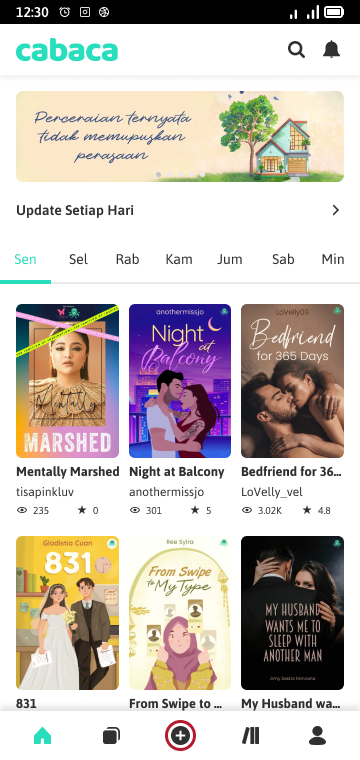
2. Choose the last work you write.
Or select from the list of works by clicking on other works.
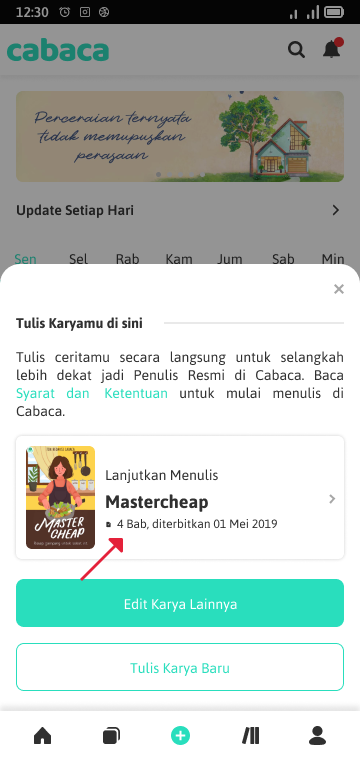
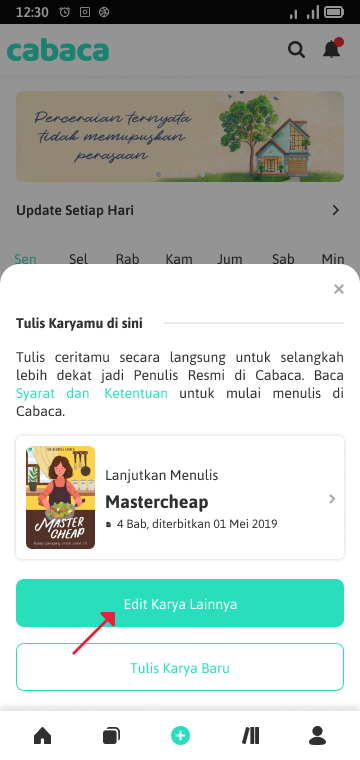
3. After selecting the work and being on the information page, click point three on the chapter list.
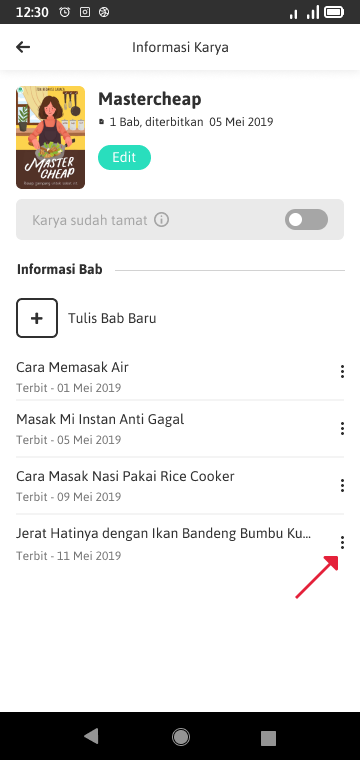
4. Menu options will appear and click Delete BAB.
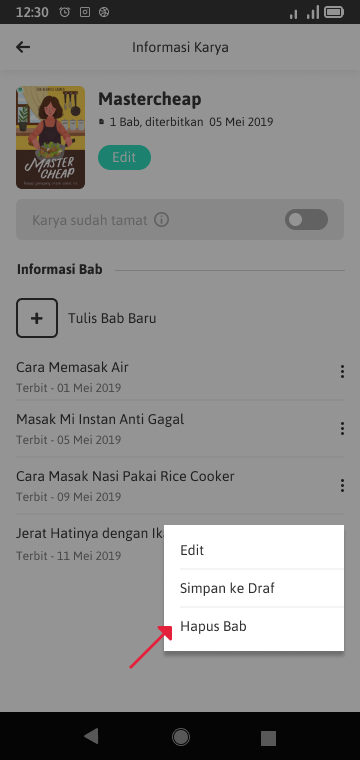
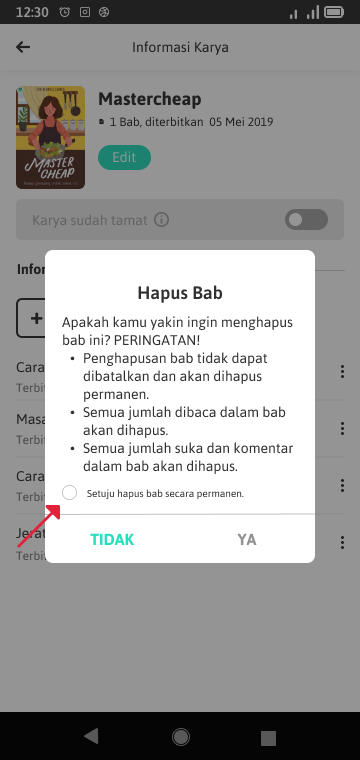
5. Pop ups will appear to confirm delete the chapter.
If you are sure you will delete the chapter, then please agree to delete the chapter permanently. Click yes to continue.
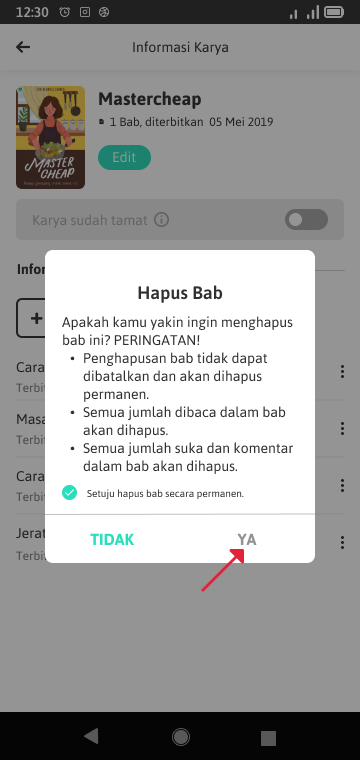
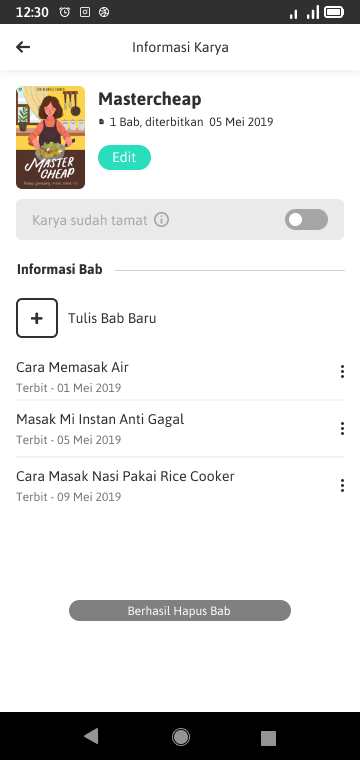
6. Yeay! Chapter of your work was successfully deleted.
How to delete works in chili
In addition to removing one chapter, you can also delete one work as a whole. In contrast to turning it into draft, the abolition of works is permanent and cannot be canceled. Here are the steps on how to delete work in the chili.
1. Open the chili application and select the icon (+) at the bottom.
2. Choose the last work you write.
Or select from the list of works by clicking on other works.
3. On the list of your work list, click point three in the work to be deleted.
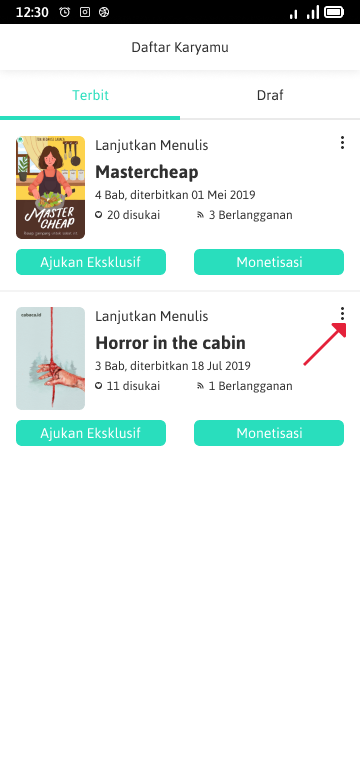
4. Menu options will appear and click Delete Karya.
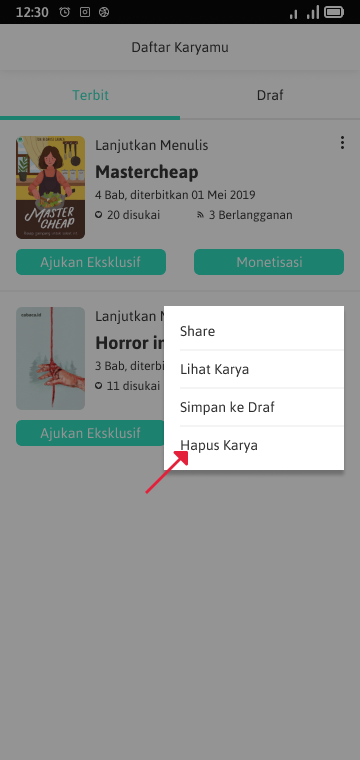
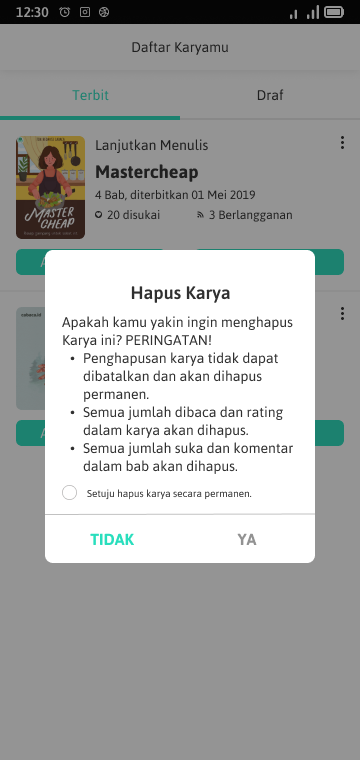
5. Pop ups will appear to confirm delete the work.
If you are sure you will delete the work, then please agree to delete the work permanently. Click yes to continue.
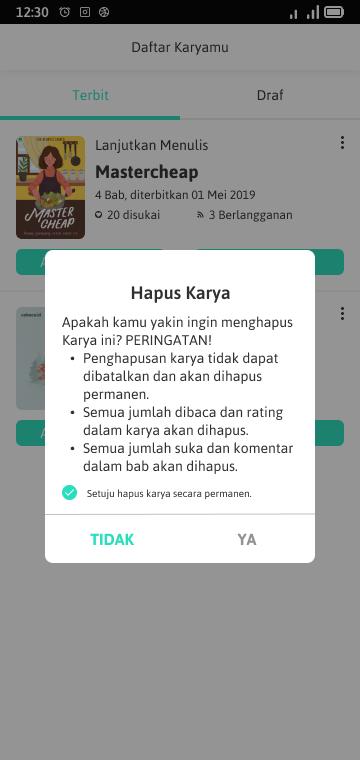
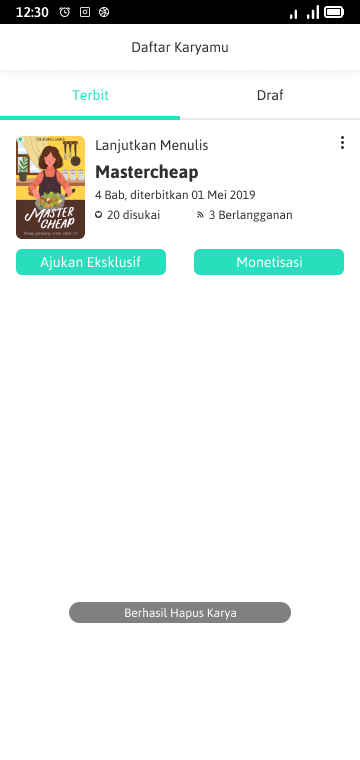
6. Yeay! Your work was deleted.
Also read: How to submit an exclusive work to the editor for monetization in chili
It’s not confused about How to delete chapters and works in chili. Don’t hesitate to be a writer in chili because you will get 60% royalties! Who was interested in becoming an official writer at chili applicationalso lives Submit exclusive Just. Install Previously the chili application on Google Play. []

Read cheap novels of various genres? Click here:
- Romantic novel
- Adult novels
- Comedy novel
- Horror novel
- Teenlit novel
- Amendment to Islamic
- Thriller novel
- Fantasy novel
Game Center
Game News
Review Film
Rumus Matematika
Anime Batch
Berita Terkini
Berita Terkini
Berita Terkini
Berita Terkini
review anime
Gaming Center
Originally posted 2025-05-24 05:32:25.


